Cascading Style Sheets (CSS) made its debut in 1996 and continue to be an indispensable and evolving component of web development. Similar to other dynamic languages, CSS is consistently introducing fresh features in response to practical demands. This fast-paced progression may lead even committed developers to overlook the latest attributes. Therefore, we will examine the most valuable recent and upcoming characteristics in CSS for this year.
:focus-visible
If you’ve been working as a web developer for several years, it’s likely that your Project Manager or Customers have requested the removal of the “unsightly” outlines surrounding buttons when they are in focus.
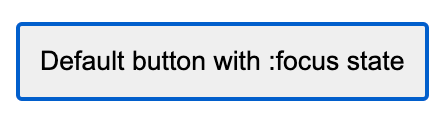
But this approach can create problems for visually impaired or keyboard-only users. These people may have difficulty finding and interacting with these elements on the page. :focus-visible is great for solving this problem. This pseudo-class allows focus styles to be displayed only when using the keyboard.
In this example, we can see that when clicking on the buttons, they do not have an outline. At the same time, when we do keyboard navigation, we see this outline.
Browser Support: 91.66% (caniuse.com)

CSS has recently introduced a set of new pseudo-class selectors, namely :is(), :has(), and :where(). Although not fully supported by all browsers, these selectors offer some exciting features worth exploring. So, let’s take a closer look at each of these pseudo-class selectors.
:is()
Originally, this selector was called :matches() or :any(), but it was included in the standard under the name :is().
The :is() pseudo-class is used to shorten long selectors. The :is() pseudo-class function takes a list of selectors to select HTML elements.
For example, we want to apply a special style to paragraphs that are at the first level of nesting in header, article, and footer elements.
This can be done in this way:
But with the use of :is(), the code looks much simpler and more concise:
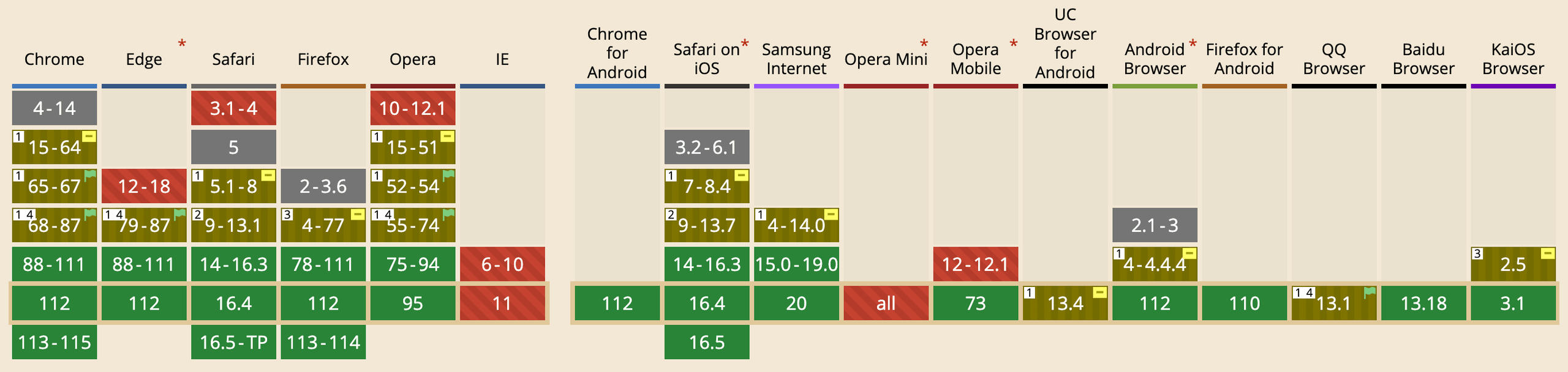
Browser Support: 97.57% (caniuse)
:where()
The :where() pseudo select is similar to :is() selector in CSS, the only difference is code specificity, :is() selector improves code specificity, and :where() selector in CSS always has 0 specificity.
For example, article p is more specific than just p, so in case of conflicts, its styles will be applied:
article p {
  color: blue;
}

p {
  color: yellow;
}
The specificity of the :is() selector is equal to the specificity of the most specific selector within its parentheses. The specificity of :where() is always zero.
As we can see from the example below, the paragraph text will be in green:
The :is() selector has the same specificity as article p, but comes after it, so its styles also take effect.
It’s obvious that :is() will be used more often than :where(), but its importance should not be underestimated.
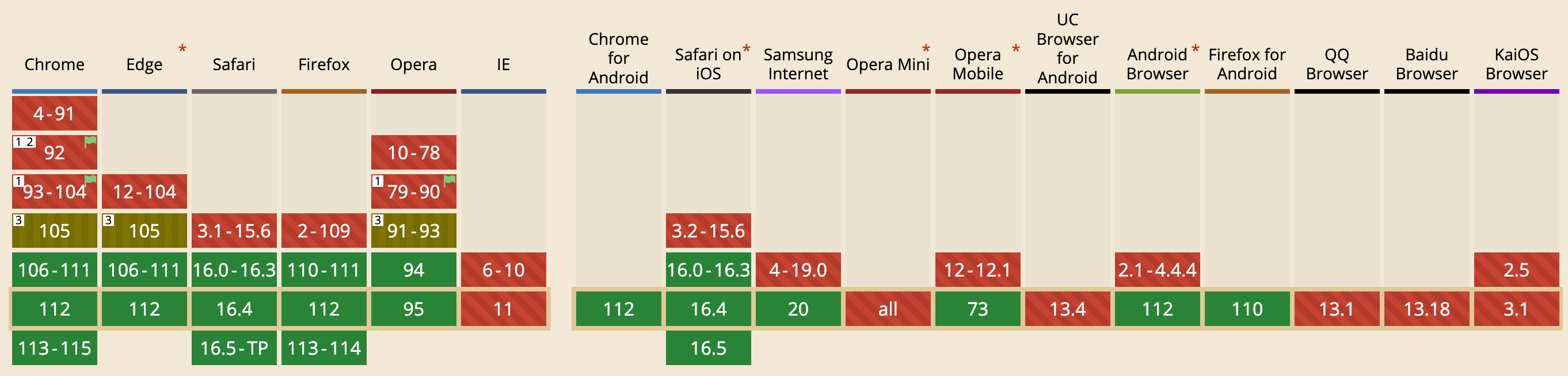
Browser Support: 92.36% (caniuse)

:has()
The unique selector that allows styling of a parent based on a specific child element.
:has() opens up possibilities that were previously unavailable without using JavaScript.
For example, we can do this:
or like this:
Using :has() does not affect specificity. When calculating the selector weight, only the target selector to which this pseudo-class is applied is taken into account.
Browser Support: 86.19% (caniuse)

accent-color
For a very long time, styling form controls has been a major pain point for developers. Each browser on each operating system drew them differently. Meanwhile, designers wanted consistency and controls that fit the design of their site. Developers had to come up with tricks and hacks to make things look good.
The accent-color property allows for minimal, but still customizable styling of checkboxes, radio buttons, and other controls that use the system’s accent color.
Example:
And the cherry on top: according to the caniuse resource, the property is already supported by all major browsers.
Browser support: 90.35% (caniuse)

Inset
The inset property is a shorthand that corresponds to the top, right, bottom, and left properties. It has the same multi-value syntax as the shorthand for margin or padding.
For example, instead of:
position: absolute;
top: 10px;
right: 30px;
bottom: 50px;
left: 20px;
The inset property allows you to save three lines of code:
position: absolute;
inset: 10px 30px 50px 20px;
A small thing, but nice 😃
Browser Support: 92.29% (caniuse)

Container Queries
The basic idea is that you are able to set a breakpoint not just based on viewport and media, but on the size of a parent container.
Container elements must be explicitly defined, which at the base level is done through the container-type property. For queries against available inline space, we use the value inline-size. Then, child elements of the container can query the container for its size with the @container rule and apply styles when that size condition is met.
For a visual example, we will switch the traffic light depending on the width of the parent container:
Browser Support: 85.92%
We’ve only highlighted the best of the major CSS trends here, but don’t be surprised if more are coming soon. We will definitely make a new list 😉