
In this article, I’d like to share common test case mistakes I’ve seen in my experience and suggestions on how to fix them. I will also share some practical recommendations that can help improve and optimize test cases.
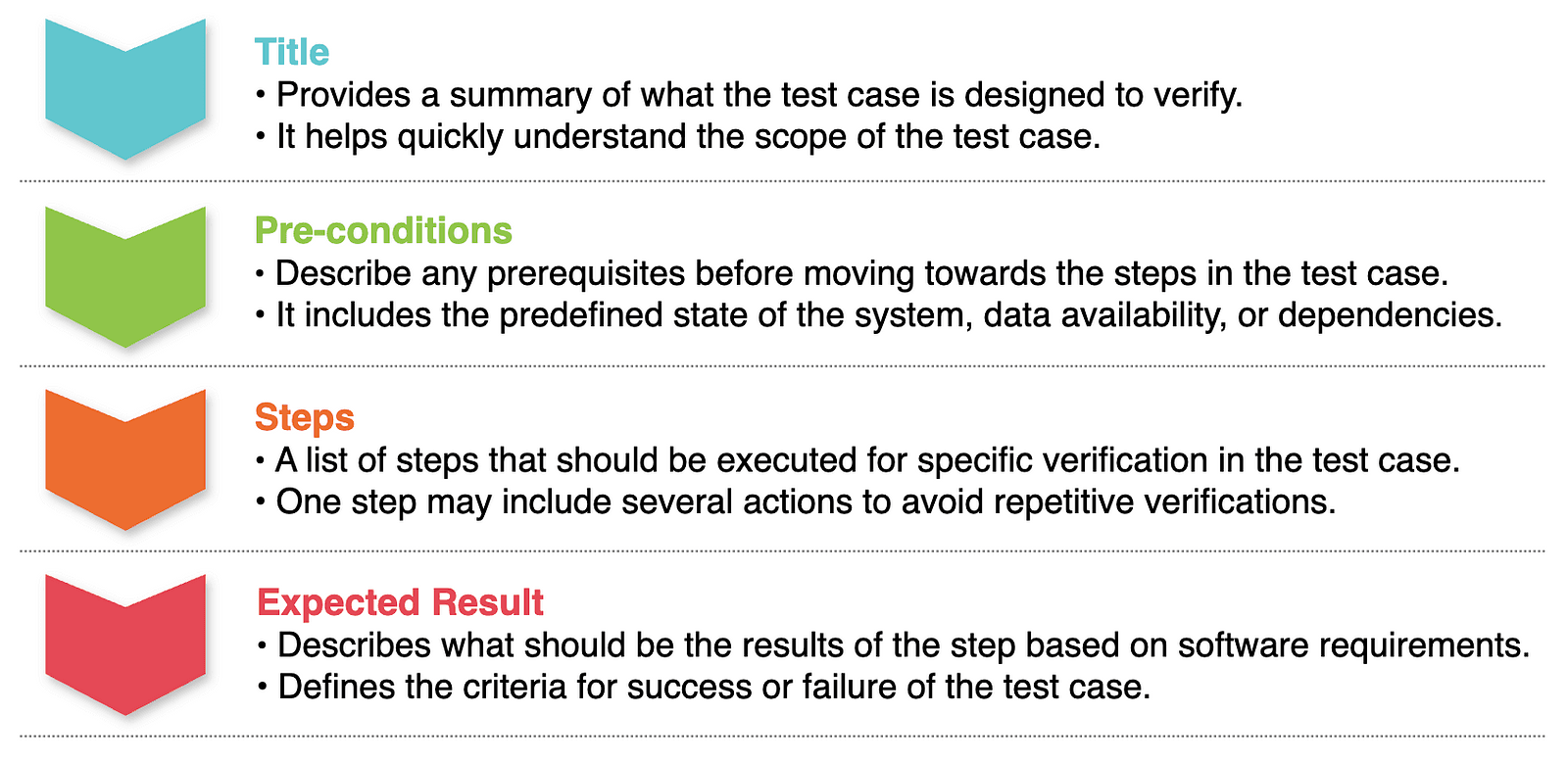
Let’s start by reviewing the main elements of the test case structure:
Common Mistakes
Title
Mistake 1: A generic title is used for multiple test cases for different features.
Example: Verify search
Improvement: The title of a test case should specify what (which functionality) and where (in which feature/place) this test case verifies. This will help to understand the context by the title without having to open the test body.
Example: Verify the member search on the home page
Pre-conditions
Mistake 2: Required test data is not specified in the pre-conditions.
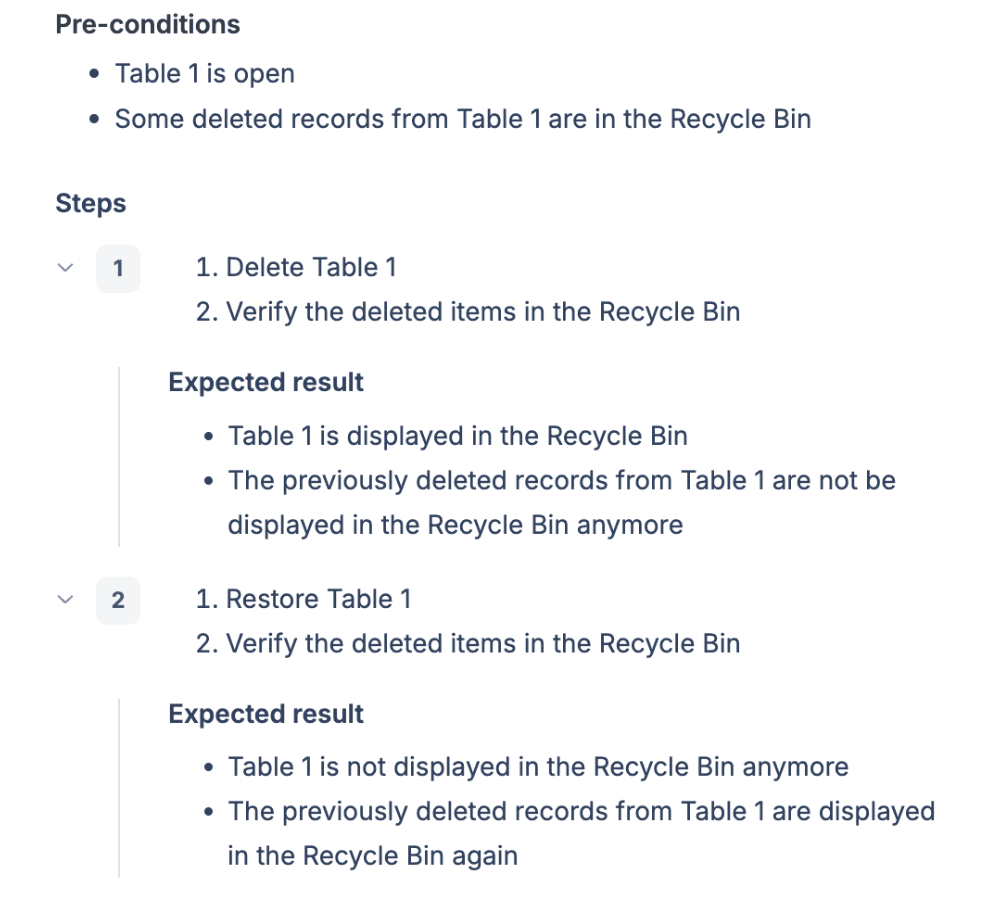
Improvement: Test data should be specified to ensure that the test is run under the right circumstances, avoiding errors or redoing some actions caused by unprepared environments.
Mistake 3: Pre-conditions contain a list of actions on how to achieve the desired state/data.
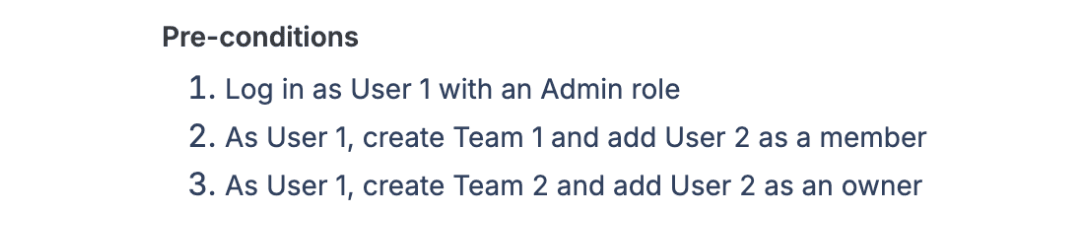
Improvement: Pre-conditions should describe the desired state and the data that already exists.

Steps
Mistake 4: The first step describes the predefined state of the system or test data.
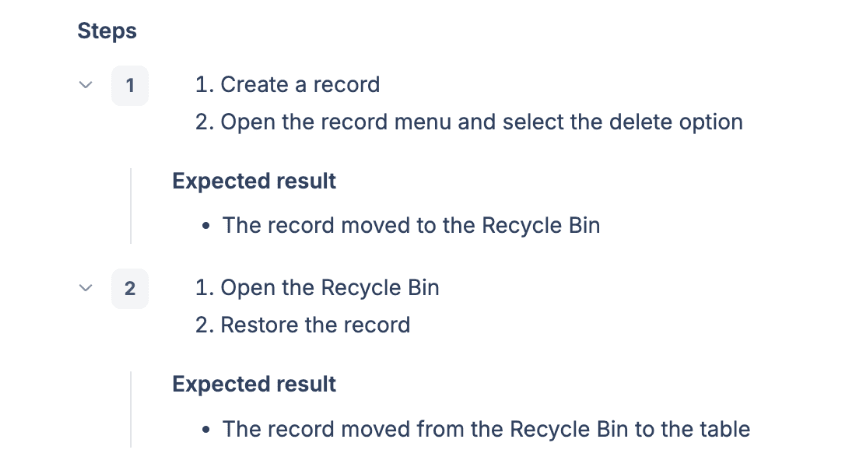
Improvement: The predefined state or data should be described in the Pre-condition section.
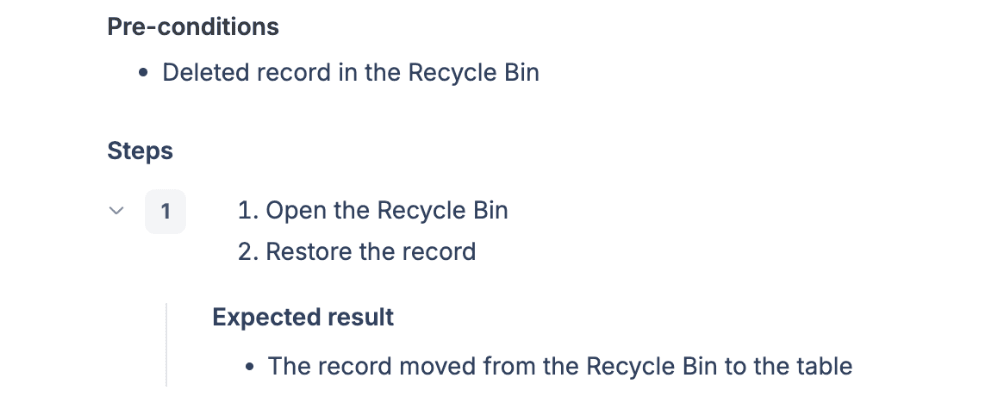
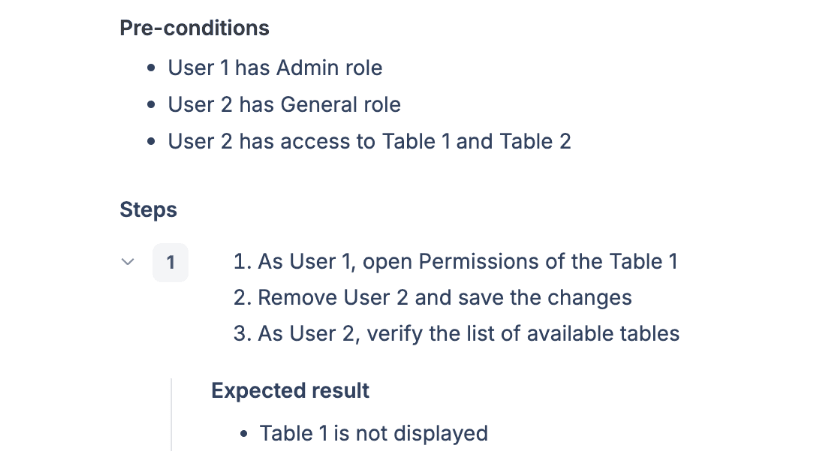
Mistake 5: Steps include repeated verifications already covered in other test cases, which increases the number of steps and testing time.
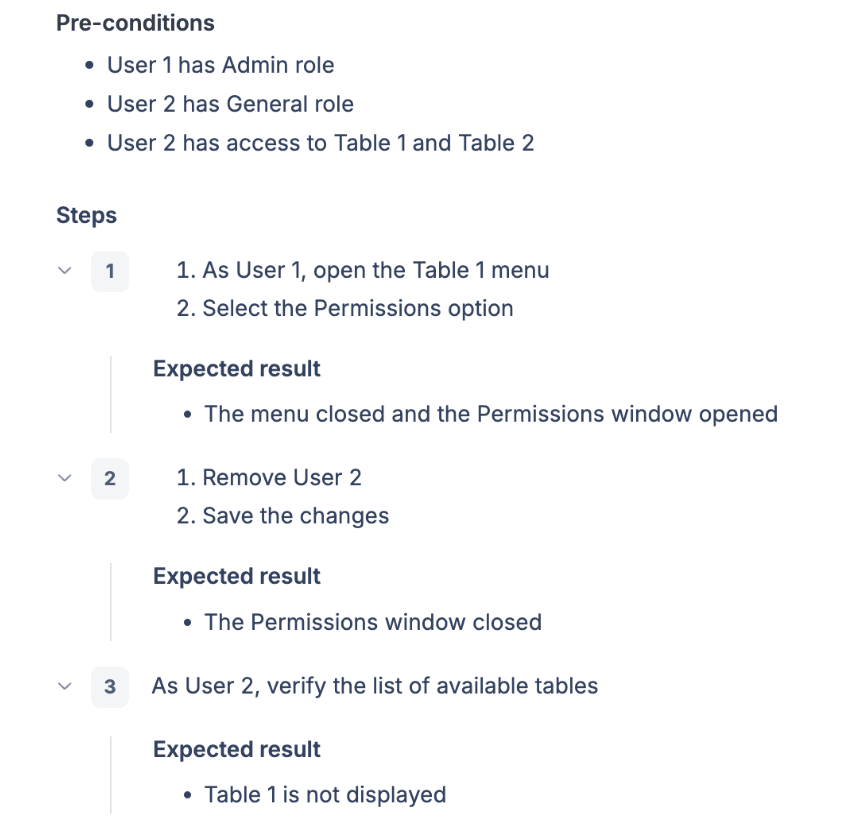
Improvement: Combine multiple actions in one step to verify only functionality that relates to the current test case. Skip verifications that are already checked in other test cases.
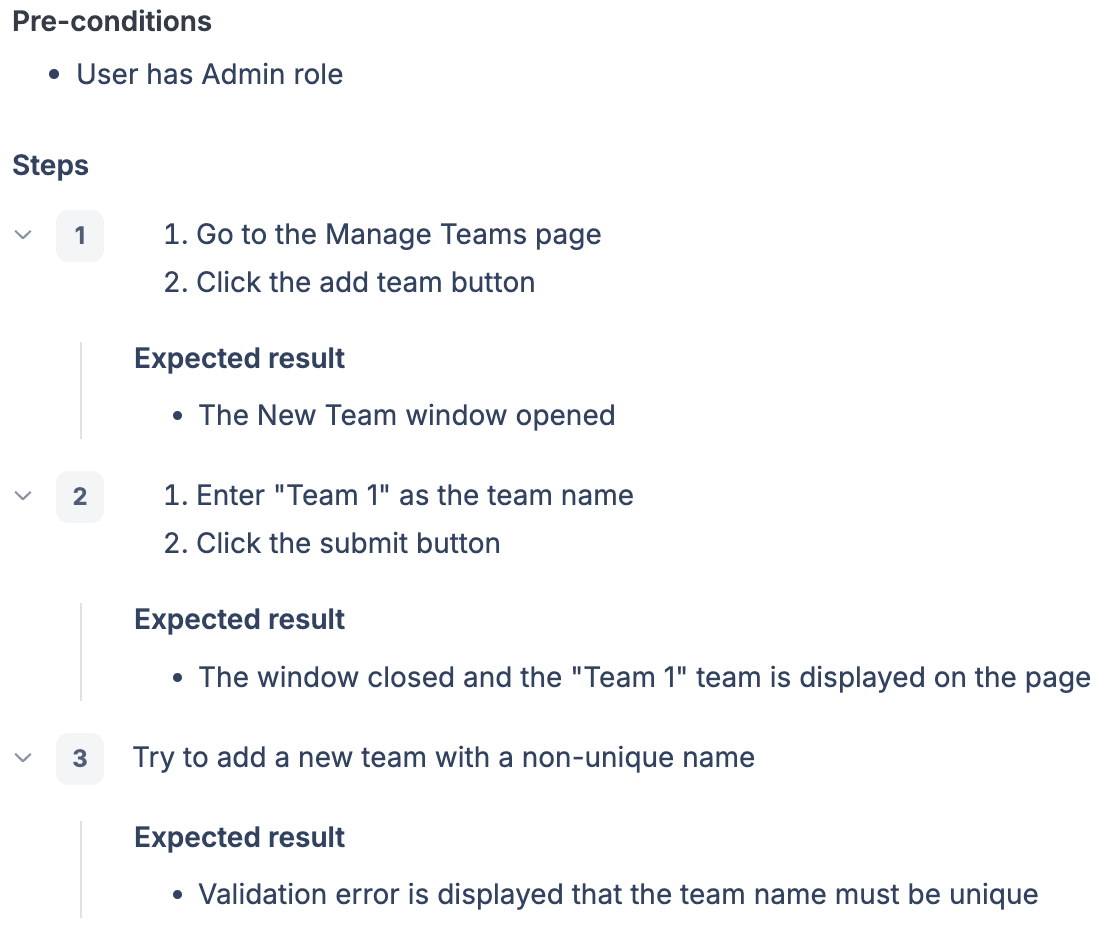
Mistake 6: Steps are described by referring to another step number.
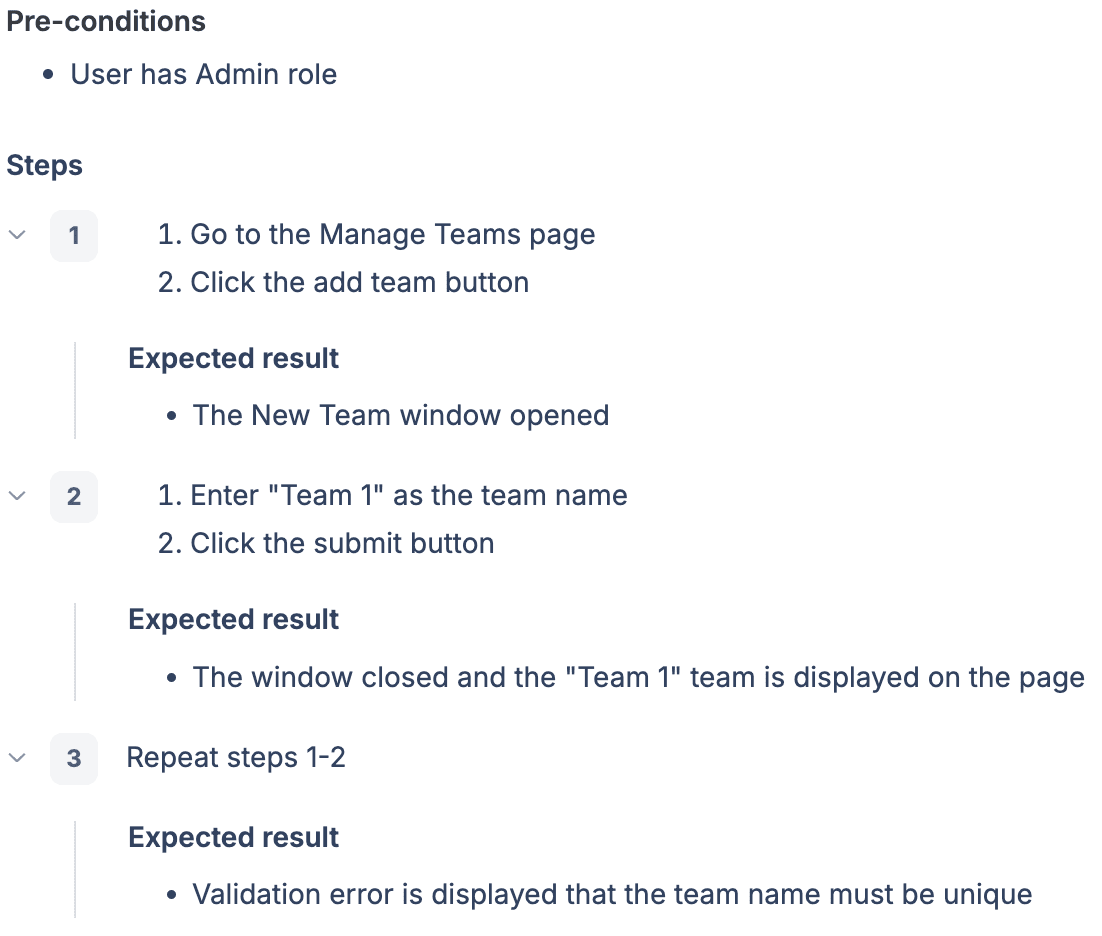
Improvement: Referencing other step numbers is unreliable because the test case may be updated in the future and the actual step number may change. It’s also inconvenient to go back and find the referenced step during test execution. Instead, briefly describe a step without repeating the same detailed actions.
Expected Result
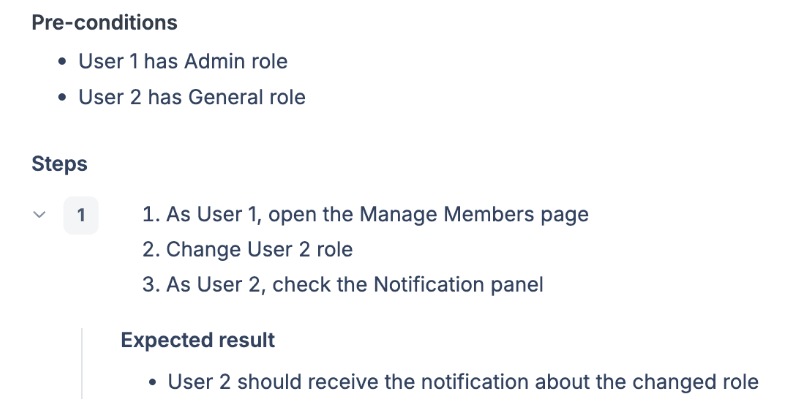
Mistake 7: Expected result is described for each action in the step.
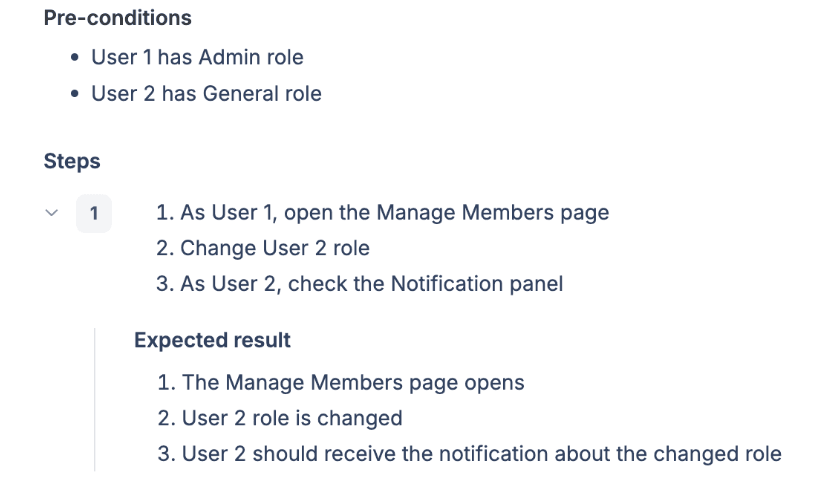
Improvement: Expected result should describe the final result of all actions in the step.
Mistake 8: Expected result contains very detailed descriptions of the design.
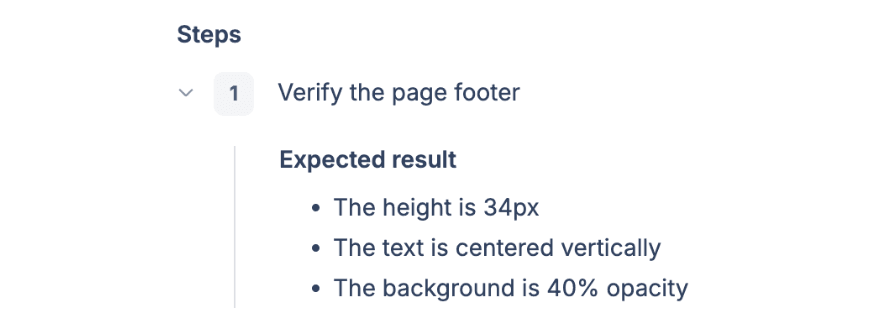
Improvement: Use links to designs instead, as the design may change.
The same applies to other UI elements. It’s better to use generic terms where possible, especially if requirements change frequently.
Example: “Click the submit button” instead of “Click the ‘Yes, I agree’ button”.
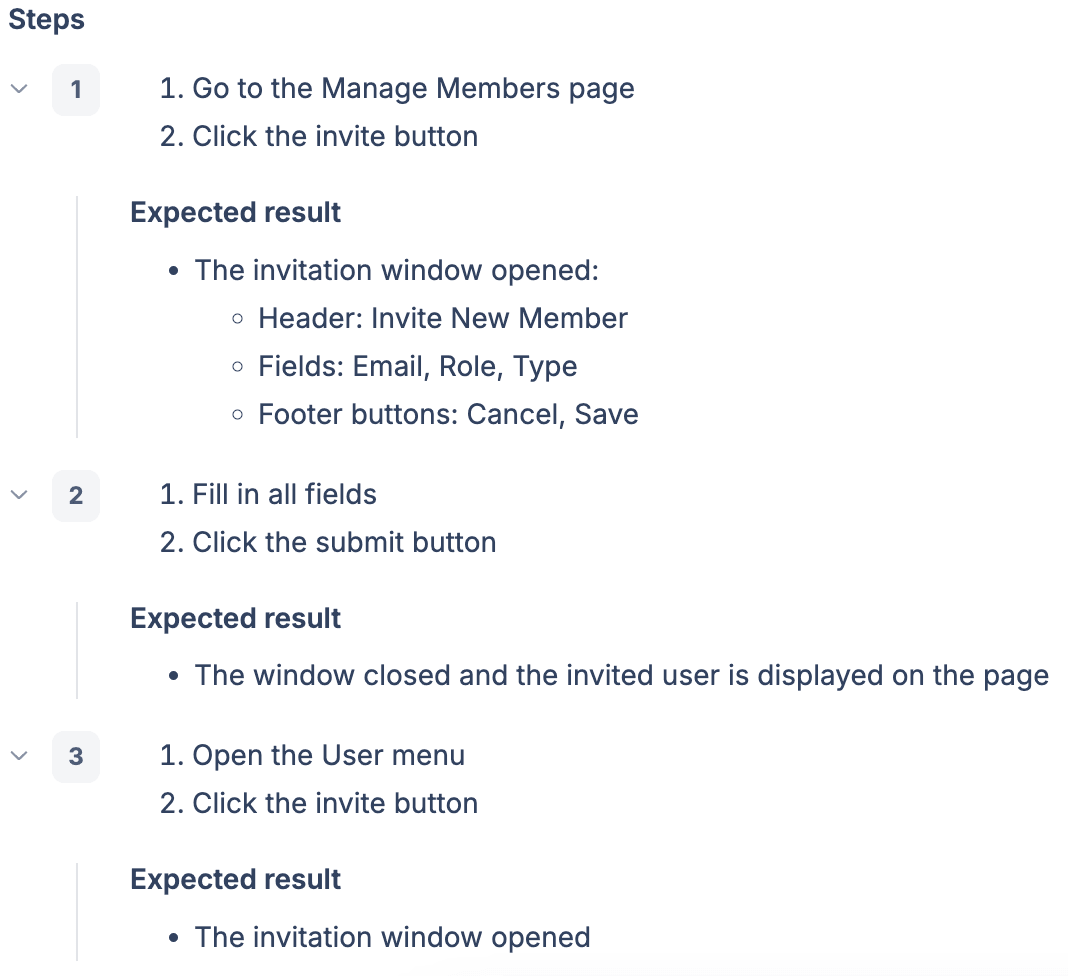
Mistake 9: Detailed verification is repeated for the same component that appears in different places in the system.
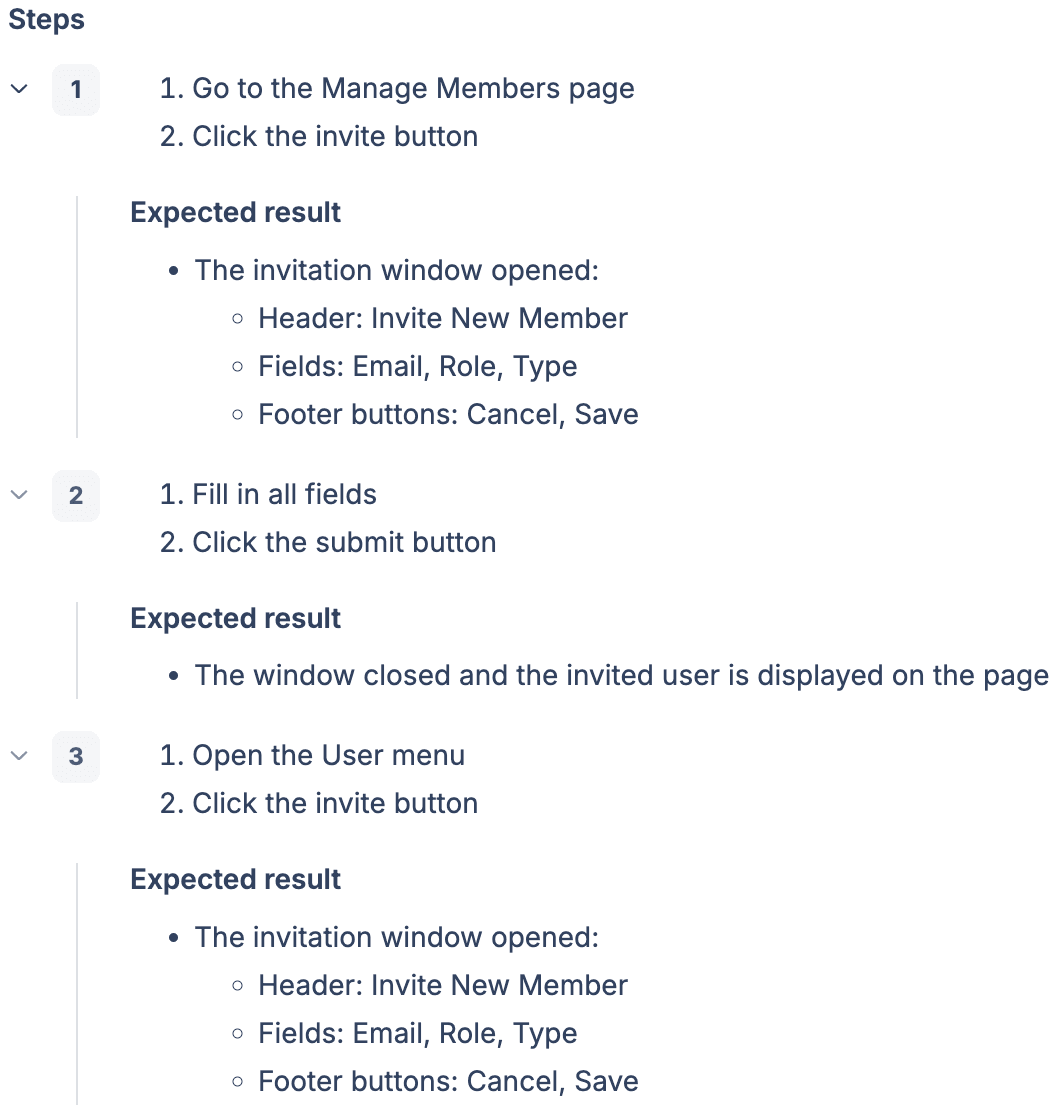
Improvement: A detailed description should be provided only for the first validation of the component and the next verifications should be described shortly.
Mistake 10: Expected result repeats the requirements.
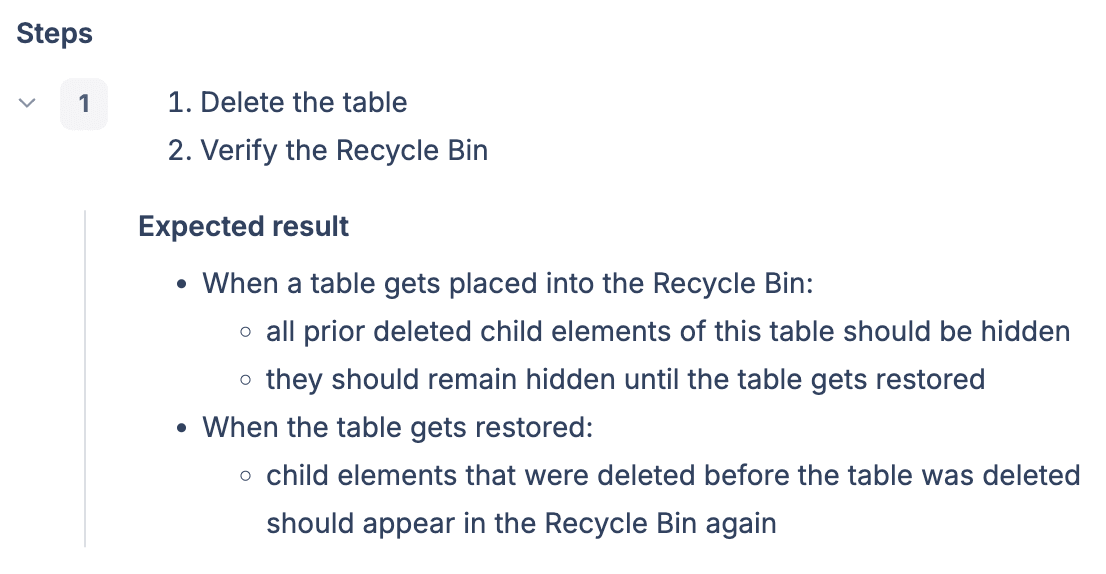
Improvement: Test cases should verify the requirements.
So, we have reviewed common test case mistakes and how to fix them. Next, I will describe some approaches that have helped us to make our test cases more effective, reduce redundancy, and improve overall efficiency.
Recommendations
Discuss feature implementation with developers
Understanding how functionality is implemented can help ensure optimal coverage. Conversely, lacking this understanding can lead to redundant tests and increased testing time.
Example:
We had a feature like adding a field, that was available in different parts of the system, and we had a separate test case for each option. In each test case, we performed the same list of verifications, like checking default settings, canceling, changing field type, etc.
After a discussion with the developers, we found out that the same component was used in all places. It was redundant to do all the verifications in each test case. We adjusted the test cases for this feature by keeping the full list of verifications in only one test case and adding a basic verification to other test cases.
When we applied this approach to other test cases, the results were impressive:
Total deleted test cases — 559.
Total test cases with reduced steps — 774.
Use shared steps
Some test case management tools have a feature such as shared steps, that allows you to create a single step that can be shared across multiple test cases. This eliminates the need to manually recreate the same step for each test case and ensures consistency across all test cases where the shared step is used.
As a result of using shared steps, we were able to:
Reduce the time to create or update test cases when requirements change.
Maintain a consistent style and structure of test cases.
Give examples for a better understanding
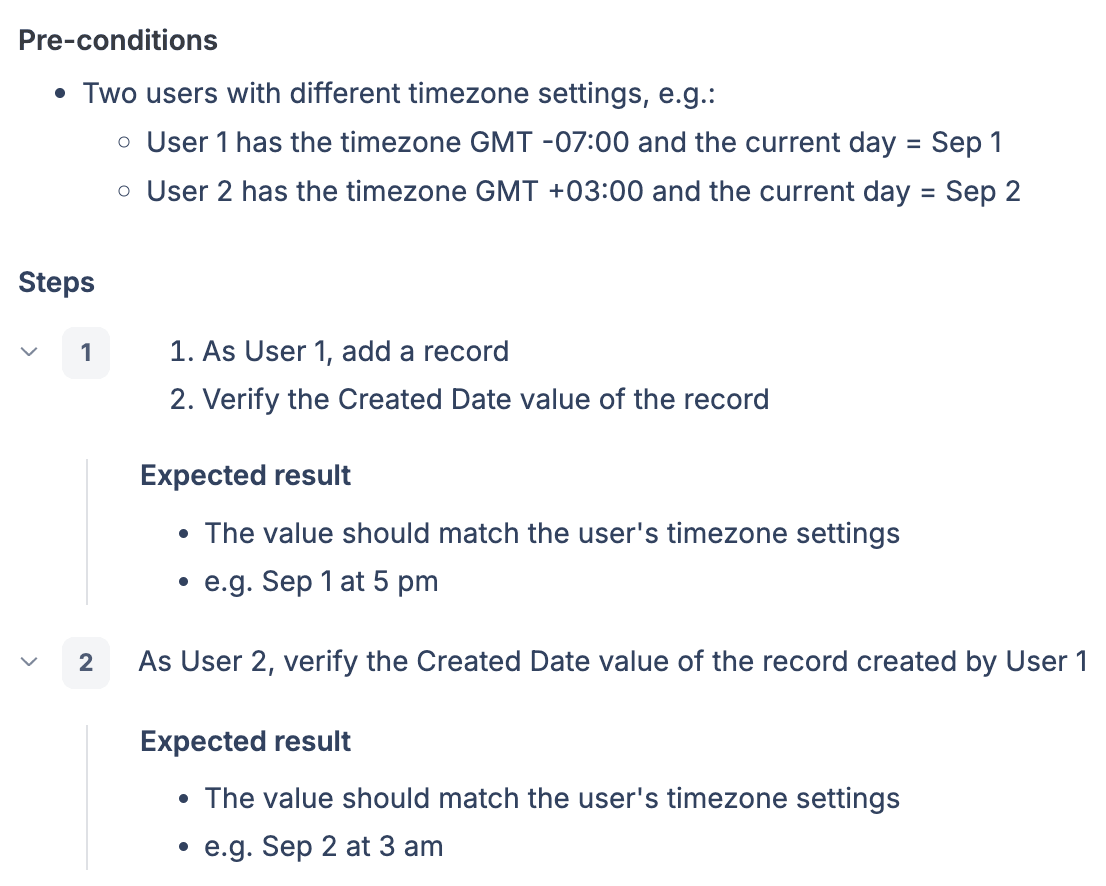
Including examples in test cases can significantly reduce the learning time of the functionality, as well as avoid misunderstandings.
Example:
The following test case verifies that date and time values depend on the user’s timezone settings.
Conclusion
Understanding and addressing test case mistakes is essential to improving the quality and reliability of the testing process. By continuously refining test case design, we can build a robust testing framework that supports high-quality software delivery.